工作工具Work tools

廣東話語音輸入,整理成工作文字。Cantonese voice input, turned into work-ready text.

講低會議重點、email 草稿或工作想法,HKOT 幫你整理成可以直接使用嘅中文或英文。Capture meeting points, email drafts, or work ideas, then shape them into Chinese or English you can use.

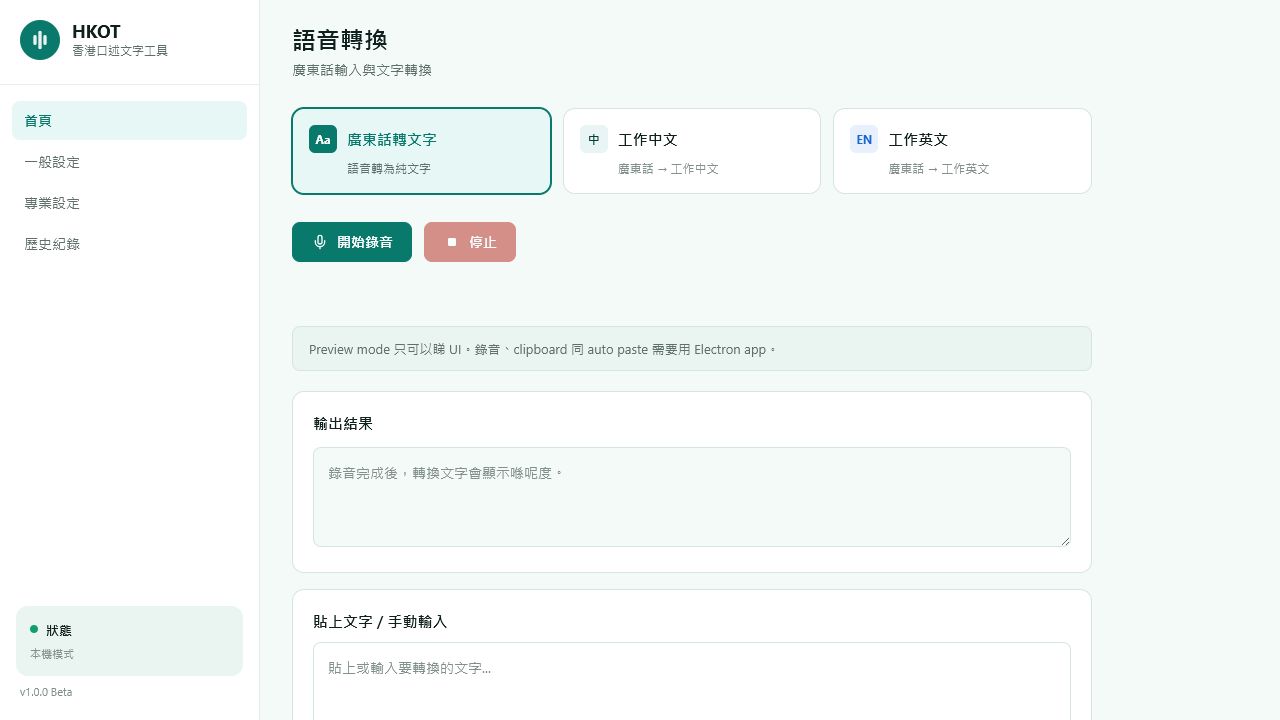
HKOT 語音輸入工具的轉換介面,展示廣東話轉文字、工作中文及工作英文模式。
  • 廣東話轉文字Cantonese transcription

    用熟悉嘅廣東話講低重點,減少手動輸入。Capture the important parts in Cantonese and reduce manual typing.

  • 整理成工作中文Work-ready Chinese

    將口語內容整理成可以直接修改及使用嘅工作文字。Shape spoken notes into Chinese that is ready to edit and use.

  • 輸出工作英文Work-ready English

    將工作想法轉換成適合 email 同文件嘅英文初稿。Turn work ideas into a useful English starting point for email and documents.

Windows Beta

下載 HKOT for WindowsDownload HKOT for Windows

下載 Windows BetaDownload Windows Beta
版本Version
0.1.0 Beta build 32
發佈日期Release date
2026-07-15
檔案大小File size
82.8 MB
安裝程式Installer
HKOT-Setup.exe

SHA-256

85c180faf1490ac489bbcc6c1129e1142e1eaeb9caf2cf0f7541215b0be733fc

如何驗證 SHA-256How to verify SHA-256

  1. 下載 installer,並開啟其所在資料夾的 PowerShell。Download the installer and open PowerShell in its folder.
  2. Get-FileHash .\HKOT-Setup.exe -Algorithm SHA256
  3. 將輸出結果與上方 SHA-256 完全比較;不相同請不要安裝。Compare the result with the SHA-256 above; do not install if they differ.

Beta 注意:錄音會傳送至雲端作語音處理;請勿上載不應交由第三方處理的高度敏感資料。Beta note: recordings are sent to the cloud for speech processing; do not upload highly sensitive material that should not be handled by a third party.